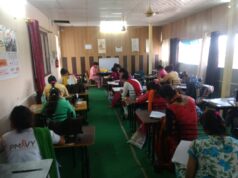
Understanding Why Students Get Bored in Class
Classrooms today look very different from what they did a decade ago. Instead of only notebooks and textbooks, many students sit with laptops or tablets open in front of them. While technology helps with learning, it also creates moments where students drift away from the lesson and start feeling bored. This feeling is actually very common. Studies show that many students frequently use their devices during lessons for activities unrelated to classwork. In fact, research found that about 65 percent of students say they get distracted by digital devices during lessons.
Boredom in class does not always mean the subject is uninteresting. Sometimes the lesson moves slowly, or the student already understands the topic being discussed. At other times, the mind simply wants a change of pace. Think of it like sitting on a long bus ride. Even if the destination is exciting, the journey can still feel slow.
Instead of letting boredom push you toward unproductive habits, your computer can become a powerful tool for staying engaged. When used correctly, it can help you explore ideas, improve your skills, and prepare for future lessons. The key is learning how to use that moment wisely without disturbing the class or losing respect for your teacher. Once you understand this balance, boredom can turn into a surprising opportunity for growth.
The Role of Digital Distractions in Modern Classrooms
Technology brings both opportunity and temptation. A laptop can help you research complex topics instantly, but it can also open doors to endless distractions. Social media notifications, random browsing, and online videos easily steal attention from the lesson. Research on laptop multitasking shows that students often open dozens of unrelated windows during lectures, and many of these activities reduce their focus and comprehension.
When students divide their attention between the lecture and unrelated activities, the brain struggles to process information efficiently. Learning requires focus and memory, but constant switching between tasks interrupts both. It is similar to trying to read a book while someone repeatedly changes the channel on the television beside you. The information never settles properly.
However, the same computer that causes distractions can also support meaningful learning. Instead of wandering through random websites, you can use that device to deepen your understanding of the topic being discussed. Even small actions like searching definitions, reviewing past notes, or organizing your study materials can turn an idle moment into something valuable. The difference lies in intention. If the computer becomes a tool instead of a distraction, it can quietly support your learning even during slow classroom moments.
Why Boredom Can Actually Be a Creative Opportunity
Boredom is often treated as something negative, but it can actually spark creativity. When the brain is not fully occupied, it starts searching for new ideas. Many writers, inventors, and thinkers describe boredom as the moment when imagination begins to wake up. Instead of staring at the clock and waiting for the class to end, you can use your computer to capture those creative thoughts.
For example, you might start drafting a short idea for a story, outline a future project, or write a quick reflection about something you learned earlier in the day. These small creative exercises strengthen your thinking skills without disrupting the classroom environment. Over time, such habits can even improve writing ability and problem solving.
Students who learn to transform boredom into creativity often become more confident learners. They begin to see their computer as more than a screen for entertainment. It becomes a notebook for ideas, a workshop for skills, and sometimes even a quiet partner in learning. When approached this way, the slow moments in class become far less frustrating and far more useful.
Turning Your Computer into a Learning Tool
Organizing Notes and Study Materials
One of the most productive things you can do on your computer during a slow class moment is organize your study materials. Many students collect notes, assignments, and files throughout the semester but rarely organize them properly. Over time this creates digital clutter, which makes studying for exams much harder.
You can use free note taking tools or simple document folders to arrange your materials by subject, chapter, or topic. For example, if your class is discussing a new concept, you can create a section in your notes specifically for that topic. Adding headings, bullet points, and summaries makes information easier to review later.
Think of your computer like a digital backpack. If everything inside it is messy, finding what you need becomes stressful. But if every document has a place, your study process becomes smoother and faster. Even spending ten minutes organizing files can save hours when exam season arrives. This small habit quietly builds academic discipline without requiring extra time outside class.
Creating Simple Study Guides While Listening
Another smart approach is turning your computer into a live study guide creator. As your teacher explains concepts, you can summarize the main ideas in your own words. This process forces your brain to interpret the information rather than just hearing it passively.
For example, instead of copying long sentences from slides, try writing quick explanations in simple language. Add examples, highlight important terms, and include questions you might want to ask later. Over time, these notes become powerful study guides that help you review the entire subject quickly.
This method works because it combines listening and writing at the same time. While some students open unrelated tabs during lectures, you are quietly building a resource that will help during exams. By the end of the semester, you might have a complete personalized guide that makes revision much easier.
Productive Things to Explore on Your Computer
Research Topics Related to Your Lessons
Sometimes the lesson only touches the surface of a topic. If you finish your work early or feel slightly disengaged, your computer can help you explore deeper questions related to the subject. For instance, if the class discusses historical events, you could research how those events influenced modern society.
This type of curiosity driven research keeps the brain active. Instead of waiting for the next instruction, you expand the lesson on your own. Many great learners develop knowledge not only from textbooks but from the questions they ask themselves during class.
Short searches for definitions, examples, or real world applications can transform a simple lecture into a broader learning experience. The key is staying connected to the subject being taught rather than drifting into unrelated websites.
Discovering Free Learning Resources Online
The internet contains countless free resources for learning new skills. Educational videos, tutorials, and interactive lessons are available on many platforms. When used responsibly, your computer can open doors to knowledge far beyond the classroom.
You might explore quick tutorials related to your subject or review earlier lessons that were difficult to understand. Even short educational videos can clarify complex topics that seemed confusing before.
Students who take advantage of these resources often gain deeper understanding because they approach learning from multiple angles. Instead of relying only on the classroom explanation, they combine different perspectives. This habit strengthens both curiosity and independence in education.
Creative Activities You Can Do Quietly
Writing Short Stories or Journals
Writing is one of the simplest creative activities you can do on a computer without disturbing anyone. If you feel your attention drifting, opening a blank document and writing a short story or journal entry can refresh your mind.
Some students like writing about daily experiences, while others prefer creating fictional worlds and characters. Both approaches improve imagination and communication skills. Over time, these short pieces of writing can become a personal collection of ideas and reflections.
The beauty of writing is that it requires nothing more than your thoughts and a keyboard. It also helps organize your mind. After a few minutes of writing, many students find it easier to return to the lesson with better focus.
Practicing Digital Skills Like Typing or Coding
Your computer is also an excellent place to strengthen practical skills. Typing speed, basic programming, and digital literacy are abilities that become increasingly important in modern education and careers.
Practicing typing exercises improves speed and accuracy, which later saves time when completing assignments or writing essays. Similarly, exploring beginner coding exercises can introduce logical thinking and problem solving.
These activities remain quiet and respectful in the classroom while still building useful abilities. Instead of letting boredom lead to distraction, you are turning that moment into a small investment in your future skills.
Smart Ways to Prepare for Future Exams
Building Personal Study Plans
Many students wait until exams are close before thinking about how to study. A better approach is using spare moments in class to design a simple study plan. On your computer, you can create a weekly schedule that divides topics into manageable sections.
This plan might include reviewing specific chapters, practicing questions, or summarizing important notes. By organizing these tasks early, you reduce stress later. Studying becomes a steady process rather than a last minute rush.
Occasionally students joke about wishing they had someone to take my computer exam for them, but the truth is preparation always works better than shortcuts. Building a realistic study strategy ensures that you understand the material and feel confident when test day arrives.
Reviewing Past Lessons and Concepts
Another productive use of your computer is reviewing previous lessons. Sometimes earlier topics fade from memory as new material appears. Opening your past notes and refreshing your understanding helps strengthen long term learning.
You can also create small quizzes for yourself using simple documents or flashcard tools. Testing your knowledge regularly improves recall and prepares your brain for actual exams. These quiet review sessions may only last a few minutes, but they gradually build strong academic habits.
Balancing Entertainment and Focus
Micro Breaks That Refresh Your Mind
Even the most dedicated students need short mental breaks. The key is keeping them brief and controlled. A quick puzzle, a short educational video, or a few minutes of reading can reset your attention without completely losing focus.
The brain functions like a muscle. Continuous strain without rest leads to fatigue, but short pauses allow it to recover. When used carefully, these small breaks can actually improve concentration during the rest of the class.
Staying Respectful in the Classroom
While using a computer during class, respect should always come first. Teachers expect students to remain attentive and considerate. Loud videos, games, or distracting activities can affect the entire classroom environment.
Responsible computer use means choosing activities that remain quiet and respectful. When students demonstrate maturity with their devices, teachers are more likely to trust them with greater independence in the classroom.
Building Better Digital Habits as a Student
Using Technology Without Losing Focus
Modern education depends heavily on technology, but success comes from using it wisely. Students who control their digital habits gain a major advantage. They learn how to gather information quickly while still maintaining focus on their goals.
Practicing mindful technology use in class prepares you for the future. Universities and workplaces also require strong digital discipline. Learning this balance early can shape your entire academic journey.
Developing Discipline with Your Laptop
Your laptop can either distract you or empower you. The difference lies in discipline. If you choose productive activities during slow classroom moments, your computer becomes a powerful learning partner.
Over time, these habits build confidence and independence. Instead of feeling trapped by boredom, you learn to guide your own learning experience. That skill stays valuable long after the school day ends.
Conclusion
Feeling bored in class is something almost every student experiences. Instead of letting that boredom turn into distraction, your computer can become a tool for growth. Organizing notes, exploring new ideas, practicing skills, and reviewing lessons all transform idle time into productive moments.
Technology itself is not the problem. The real challenge lies in how it is used. Students who learn to balance curiosity, creativity, and respect in the classroom often discover that even quiet moments can support their learning journey. With the right habits, your computer becomes more than just a screen. It becomes a gateway to knowledge, discipline, and personal development.
FAQs
Can using a computer in class improve learning
Yes. When used responsibly for note taking, research, or reviewing lessons, a computer can help students understand topics more deeply and organize information efficiently.
Why do students often feel bored during lectures
Boredom usually occurs when lessons move slowly, when students already understand the topic, or when attention naturally drifts after long periods of listening.
Are laptops always distracting in classrooms
Not always. Research shows distractions occur when students multitask with unrelated activities, but focused laptop use for academic purposes can support learning.
What are quick productive activities to do on a computer during class
Students can organize notes, create study guides, review previous lessons, practice typing skills, or research related topics quietly.
How can students avoid digital distractions
Simple habits such as closing unnecessary tabs, turning off notifications, and focusing on learning related tasks can greatly reduce digital distractions.