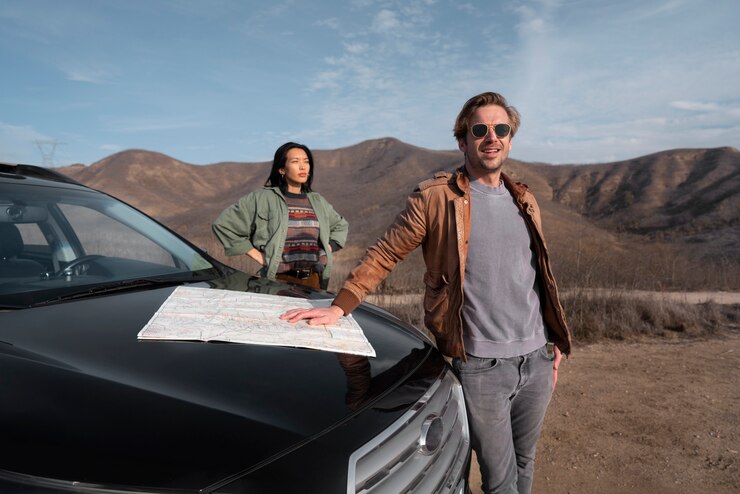
Using navigation apps in Morocco is essential—especially when you’re exploring beyond the cities. But once you leave urban areas like Marrakech or Agadir, relying on Google Maps without preparation can quickly become frustrating.
Signal drops, unpaved roads, and unclear directions are common in rural regions. The good news? With the right strategies, you can use Google Maps effectively and navigate like a pro—even in remote parts of Morocco.
🧭 How to Use Google Maps Effectively in Rural Morocco When Renting a Car
1. Download Offline Maps Before You Leave
This is the most important step.
In many rural areas—especially in the Atlas Mountains or desert routes—mobile data can be unreliable or nonexistent.
What to do:
- Open Google Maps
- Search for your destination or region
- Tap “Download offline map”
👉 Download large areas covering your full route, not just one town.
2. Don’t Trust Travel Time Estimates Blindly
Google Maps often underestimates travel time in rural Morocco.
Why?
- Mountain roads are slow and winding
- Livestock or road work can cause delays
- Some roads are technically “roads” but barely drivable
👉 Rule of thumb: add 20–40% extra time to your trip.
3. Check the Route Type Before Driving
Not all routes suggested are suitable for rental cars.
Google Maps may send you through:
- Dirt tracks
- Narrow village paths
- Mountain shortcuts
How to avoid this:
- Switch to satellite view
- Zoom in and inspect road conditions
- Prefer clearly marked main roads (N or R roads)
4. Cross-Check with a Second App
Don’t rely on just one tool.
Use a backup like:
- Maps.me
- Waze (better for traffic in populated areas)
👉 If two apps suggest the same route, it’s usually reliable.
5. Use Landmarks, Not Just Addresses
In rural Morocco, exact addresses are often unclear or nonexistent.
Instead:
- Search for nearby landmarks (cafés, mosques, gas stations)
- Use village names rather than street names
👉 Locals also give directions based on landmarks—not street numbers.
6. Save Key Locations in Advance
Before starting your trip, save:
- Your hotel or riad
- Fuel stations
- Emergency stops
This makes navigation faster and avoids searching in low-signal areas.
7. Watch for Sudden Route Changes
When your signal returns, Google Maps may automatically recalculate your route.
⚠️ This can:
- Send you on a longer or worse الطريق
- Redirect you through unsuitable roads
👉 If you’re already on a good road, don’t blindly follow every reroute.
8. Pay Attention to Road Reality vs. Map
Sometimes the map doesn’t reflect reality.
You might encounter:
- Roads under construction
- Closed routes
- Seasonal الطريق conditions
👉 If locals avoid a road, you probably should too.
9. Always Keep a Fuel Strategy
Google Maps won’t always warn you about fuel availability.
- Fill up whenever you see a station in rural areas
- Don’t wait until your tank is low
👉 Distances between stations can be long.
10. Use Voice Navigation (But Stay Alert)
Voice directions are helpful—but not perfect.
- Pronunciation of local names may be confusing
- Instructions can come too late on sharp turns
👉 Keep your eyes on the road and glance at the map when needed.
11. Carry a Backup Plan (Old-School Works!)
Technology can fail.
Always:
- Ask locals for directions if unsure
- Keep a general idea of your route
- Take note of major towns along the way
Moroccans are usually very helpful when giving directions.
12. Avoid Driving at Night with GPS Alone
Using Google Maps at night in rural areas is risky.
- Roads may be poorly lit
- Hazards are harder to see
- Navigation errors are more dangerous
👉 Plan your trips to arrive before dark whenever possible.
🧭 Final Thoughts
Using Google Maps in rural Morocco isn’t just about following directions—it’s about using it strategically.
The smartest drivers:
- Prepare offline maps
- Double-check routes
- Stay flexible
When used correctly, Google Maps becomes a powerful tool that helps you discover Morocco’s hidden gems—without getting lost or stressed along the way.
With a bit of planning and awareness, you’ll navigate rural Morocco confidently and safely, turning every drive into part of the adventure. If you are looking for some car rental to hire in Agadir in airport morocco, we recommand you check :
Profile de la société : Rent a car agadir
Profile de la société
Nom de la société : Rent a car agadir
Adresse :
- Nom de la rue :Aéroport El Massira
- Ville : Agadir
- Code postale: 80000
- Pays : Maroc
TéléPhone :+212663077524
Address Email: booking@rentfastly.com